If you want to change the interval of your payment for your phone number, you can do this yourself in a few simple steps.
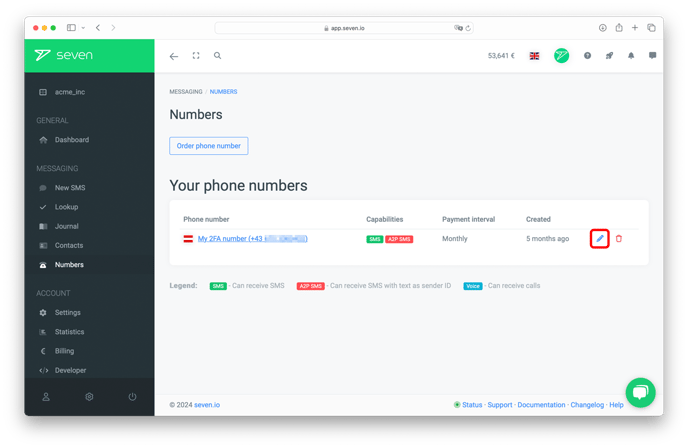
In the web app, click on the Numbers item in the left-hand menu.
Next to the number for which you want to adjust the payment interval, click on the edit symbol (the blue pencil).
In the section at the bottom you will find setting options for your payment interval.
Select your desired payment interval from the drop-down menu and save your changes.
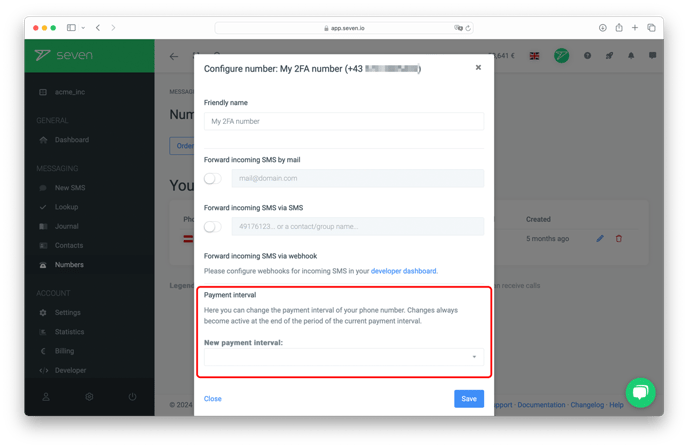
Your changes will take effect at the end of the current payment period.
Do you have still have questions? Do not hesitate to contact our support team.